
Table of Contents
- Introduction
- System Requirements
- Installation for Microsoft Windows
- How to Operate in Auto Mode
- How to Operate in Manual Mode
- Contact
Introduction
M4.01a File was developed by Jeffery Quarles with the expressed intent of making it easier to rename photos that have uploaded to the Tentech folder for that day's date.
Photos are currently stored in 4.01 folder in the format of last.first.gid. When you process a replacement PKI card request due to having an M4.01a card, you go to the 4.01 folder and locate the photo for the user who submitted the request and copy it over to the Tentech folder name based on the date that the request is being processed in the format of YYMMDD.
System Requirements
M4.01a requires Java SE 6 or any version higher than Java SE 6. i.e. Java SE 7. Download Java SE 7 from STT.
Installation for Microsoft Windows
Install by copying the jar file to your "Desktop".
How to Operate in Auto Mode
- Ensure Auto mode is selected in the combo box
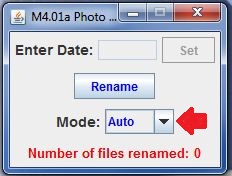
- Click the Rename button, and files will be renamed.
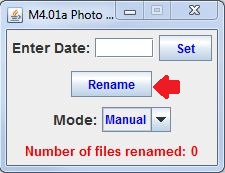
- You are done. There's nothing else to do.
How to Operate in Manual Mode
- Change the Mode combo box to Manual.
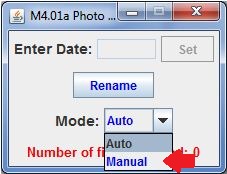
- Enter the date for the folder, you which to rename photos in the textfield in the format of YYMMDD.
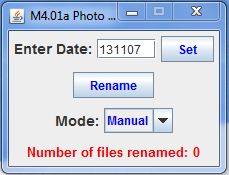
- Press the Set button.
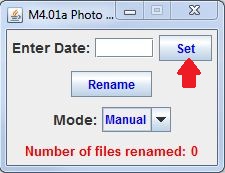
- Press the Rename button.